Sunday, April 18, 2010

Do The Math: Digital Signage 101 Simple ROI Using Foodservice

I have given many presentations about the benefits of digital signage and while costs continue to come down and technology advance, given the current state of the economy it still remains a difficult pill to swallow when it comes to making the investment to put the plan into action. Simply put, the biggest hurdle to clear often is a budgetary one. With that in mind I hope the following inexpensive digital sign solution and simple ROI calculation helps put cost issues aside and makes getting going a priority instead. The inexpensive entry-level solution costs only $1,000. It is a countertop solution that uses a desktop size display in portrait or vertical orientation. You may think this display size is too small and reduces impact, but I don’t think so. It’s more about location then size. Not only does the smaller size allow you to place the display in more strategic locations, it also saves you a lot of money compared to a large flat panel display and its associated install costs. Ideally you want this display to face your customer at point of sale. Where the transaction is made is the best time to cross sell and promote a little something extra to buy with their purchase. The other parts of the $1,000 investment includes a media player that plays promotional content for you based on the time of day, a professionally designed content template that can be used to create your digital sign promotions and other miscellaneous mounting equipment and cables.

Now for the simple ROI calculation…using foodservice as an example, the following assumptions can be made and is based on an investment of $1,000 for the solution mentioned above. The assumptions needed to start are average spend per customer before and after installing the digital sign. Let’s assume then that $5 is the average spend before and that a lift of 3% is achieved with the digital sign. This makes the average spend after $5.15 or an increase of 15 cents per order. At 15 cents per order the digital sign would pay for itself in 6,666 orders. If you do an average 100 orders per day that’s a 66 day payback, or about 2 months. If you do an average 1,000 orders per day that’s a one week payback. If you deduct your prime cost, typically 65% of each dollar for cost of goods and payroll, your net revenue per order would be just over 5 cents and the digital sign would then pay for itself in about 19,000 orders. If you do an average 100 orders per day that’s a 190 day payback, or about 6 months. If you do an average 1,000 orders per day that’s about a 19 day payback, or less than 3 weeks. Assuming you get 3 years out of your digital sign and use these conservative assumptions the ROI would be worthwhile wouldn’t it?

Friday, January 15, 2010

Digital Signage Tipping Point Now Tipping: Retail’s Big Show 2010 Recap

As mentioned in my previous post citing DispalySearch, more and more large IT companies are getting serious about digital signage, sending that domino and an entire industry ever closer to its tipping point.

Its been tweeted and blogged about lots and lots all week, but in case you missed it, for further insight I would recommend reading Ken Goldberg’s “Broad Thinking. Narrowcasting.” post (along with my comment), as well as David Weinfeld’s “Digital Signage Insights” post, and also this WSJ article "Intel, Microsoft Offer Smart Sign Technology". This will get you caught up quickly with what happened earlier this week at the National Retail Federation Show at the Javits’ Center in NYC.

In brief, I attended and was very excited to see digital signage solutions taking center stage right next to other key technology solutions for retail from several of the largest technology companies in the U.S. Some were promoting their partner solutions (Dell, Intel, Microsoft) while others demonstrated current and future possibilities integrating their technology (HP, Intel, Microsoft, NCR) and others their own branded solutions (Cisco). In addition, highlighted in some of these exhibits and in their own spaces, were several leading digital signage software companies demonstrating simpler, easier to use and less expensive solutions for small to medium sized businesses interested in installing digital signs. The end result is lots and lots of positive spin about digital signage for the rest of us in the game. More importantly, to those of you considering how to best resell or implement digital signage in your business, more and more resources and certified solutions from leading tech companies are now available. Let me know if you would you like to know more.

Monday, January 11, 2010

The Yin and Yang of In-Store Signage: Digital & Traditional

I kind of doubt that the supermarket I shop in (pictured here) is the exception, more likely it is typical, but I happened to be taking in my surroundings while waiting in line the other day (or as industry folks might like to say, I was doing some serious dwelling), and no I was not compelled by the digital signage screens located at each check-out aisle, why? Perhaps the clutter of signs hanging everywhere overhead was to blame for me taking my eyes off the check out aisle screens but oh my gosh, there are static dimensional, backlit and printed signs hanging everywhere! Does this represent opportunity and promise of all that's good about installing digital signage or what is wrong with this picture I thought to myself? Supermarkets (or those managing the network) are spending thousands of dollars many times over on digital signage at the checkout aisle as well as in the deli and bakery areas now more than ever, but with all this extraneous static signage competing for attention, how effective and how well are they really doing? If I was spending to be on a digital-out-of-home ad network in one of these supermarkets I would give serious pause to my spend and its ROI, wouldn't you?

So how do you clean it up? I think hybrid, or a balance between static signs and digital screens. Those that change with X frequency go static and those that change with Y go digital. Granted there is a lot more to it then that like location, design, operating costs, procurement costs, install issues, just to name a few but the key objective in my mind is that there needs to be a balance between the static and digital to better communicate all this information in a clear and concise way, a kind of yin yang or best-of-both worlds approach. Any takers? Let me know, what do you think?

Monday, January 4, 2010

2009 Data Bodes Well For Digital Signage In 2010


I came across this study a couple weeks back preparing an investment justification for the development of a digital signage business plan. I don’t recall it having received much press within the digital signage community since its release so I thought I would mention it here. While it does not call out digital signage directly it uncovers several consumer preferences and attitudes toward technology that indicate interest and acceptance of digital signage and kiosk technology in the restaurant industry.

Friday, October 30, 2009

Digial Signage: Waiting For The Tipping Point


A point in time when momentum for change becomes unstoppable.

When will this time come, or has it already for digital signage? I figure I would weigh in, every market research company has and charges lots of money too, so why not me on my two cents worth blog? I have a lot of industry experience and insight to draw upon, and besides its free. Simply put, I am going with 2010. While it is a nice round number, it also appears that several more stars, industry outlooks and consumer trends, will be aligning and create even more momentum and reasons to consider investing in a digital sign solution for your business. What are those trends and indicators? A couple of the many I came across preparing an update for a recent strategy presentation for a client are as follows:

1. IT spending. Its forecast to rebound in 2010 with context aware computer spending, like digital signage, a key area (CAC uses things like location, presence and other social & environmental information to aniticpate an end-user's needs).
3. Decling Print Ad Sales. One man's loss is another ones gain I suppose. As magazines and newspapers continue to shutter, digital out of home and digital merchandising spends will gain more momentum and continue to grow.
4. Burger King Revamp. BK recently announced an effort to revamp all 12,000 stores with a sleek new interior design that includes digital menu boards. While 12,000 locations is a ginormous amount (as my daughter likes to say) and whether they even ever get passed 1,000 only time will tell. But the significance is the trickle-down effect this will have on the many other large and small fast food and fast casual restaurant chains that will look to emulate this.
5. Detroit Airport Mandate. As part of a huge redesign the Detroit Metro Airport mandated that all new foodservice vendors with menu displays use a digital menu board system.

You can see how it all begins to add up. Not to mention price erosion continuing in hardware and the consumers insatiable appetite for more information and desire to be able to make more informed decisions at point of sale. The day is fast approacning when most new construction and renovation projects incorporate digital merchandising of some form or another. Its no longer a matter of if but when, 2010.

Monday, September 28, 2009

Using Google SketchUp For Digital Signage Project Development

I have spent a lot of time using all sorts of 3D CAD software designing everything from small handheld products to full blown 100’ x 100’ trade show exhibits, so I was a bit skeptical when I finally got around to trying out SketchUp, a free 3D CAD software application from Google. Ever since Alias Sketch! was cancelled it has been difficult to find a quick and easy replacement to create 3D models on a Mac, but to my surprise I was impressed. Now SketchUp doesn’t have the rendering engine to generate incredible 3D photorealistic images like Alias Sketch! did, but it does good enough and includes texture mapping and animation capabilities ideal for doing an interior fly through of a proposed Digital Signage installation. SkecthUp also does not have the sculpting ability that other 3D CAD applications have to create complex organic shapes, but for modeling 3D store interiors, kiosks and merchandising fixtures it’s a breeze. In addition, thanks to Google’s efforts to model all the worlds’ architecture with SketchUp in Google Maps, there is a HUGE repository of all sorts of SketchUp 3D models available for free download. Using this library helps add detail and accuracy to your models quick and easily. Google SketchUp is currently available for free or a fee but with all the functionality packed into the free version there is plenty you can do at no charge. More consultants and integrators specializing in digital signage should use SketchUp to help avoid common miscommunications with clients in advance of those costly and time-consuming on-site installation misunderstandings.

Monday, September 14, 2009

GET may do for Digital Signage too (Good Enough Tech)


In addition to being green, mass transit does have other advantages to driving yourself to the office. For example, you can read something interesting too.
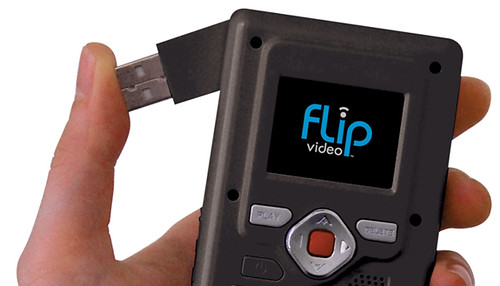
A good read on my commute to NYC this morning came from the recent issue of WIRED magazine. From netbooks to Flip camcorders, sometimes the low cost simple tech is good enough to transform an entire industry, trading power or fidelity in exchange for low price, flexibility, and convenience. Case in point, using Google SketchUp in new and interesting ways (more on this to follow). Can you think of many Digital Signage solutions that GET the it? I can. Drop me an email if you would like to find out more.